

In this section, you can view an overview of all transactions, search for specific transactions using keywords, and easily reset the filter. Additionally, transactions can be edited or deleted as needed.
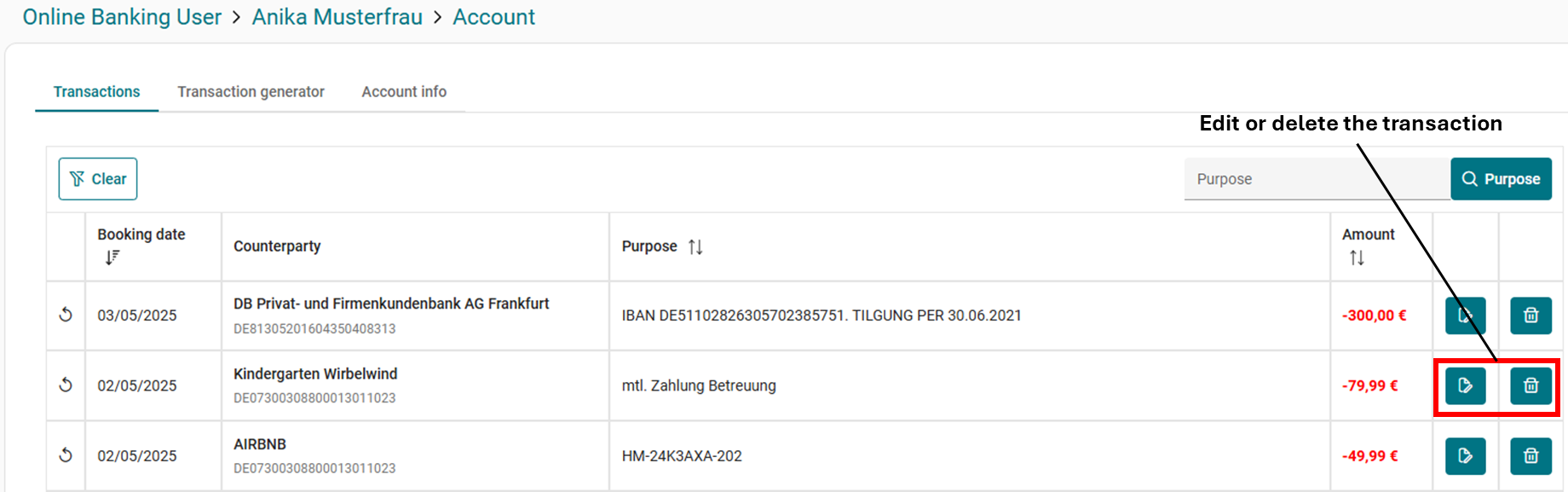
When editing a transaction, you can view and modify all relevant data. If the transaction was created by a rule, you can also jump directly to that rule and edit it.
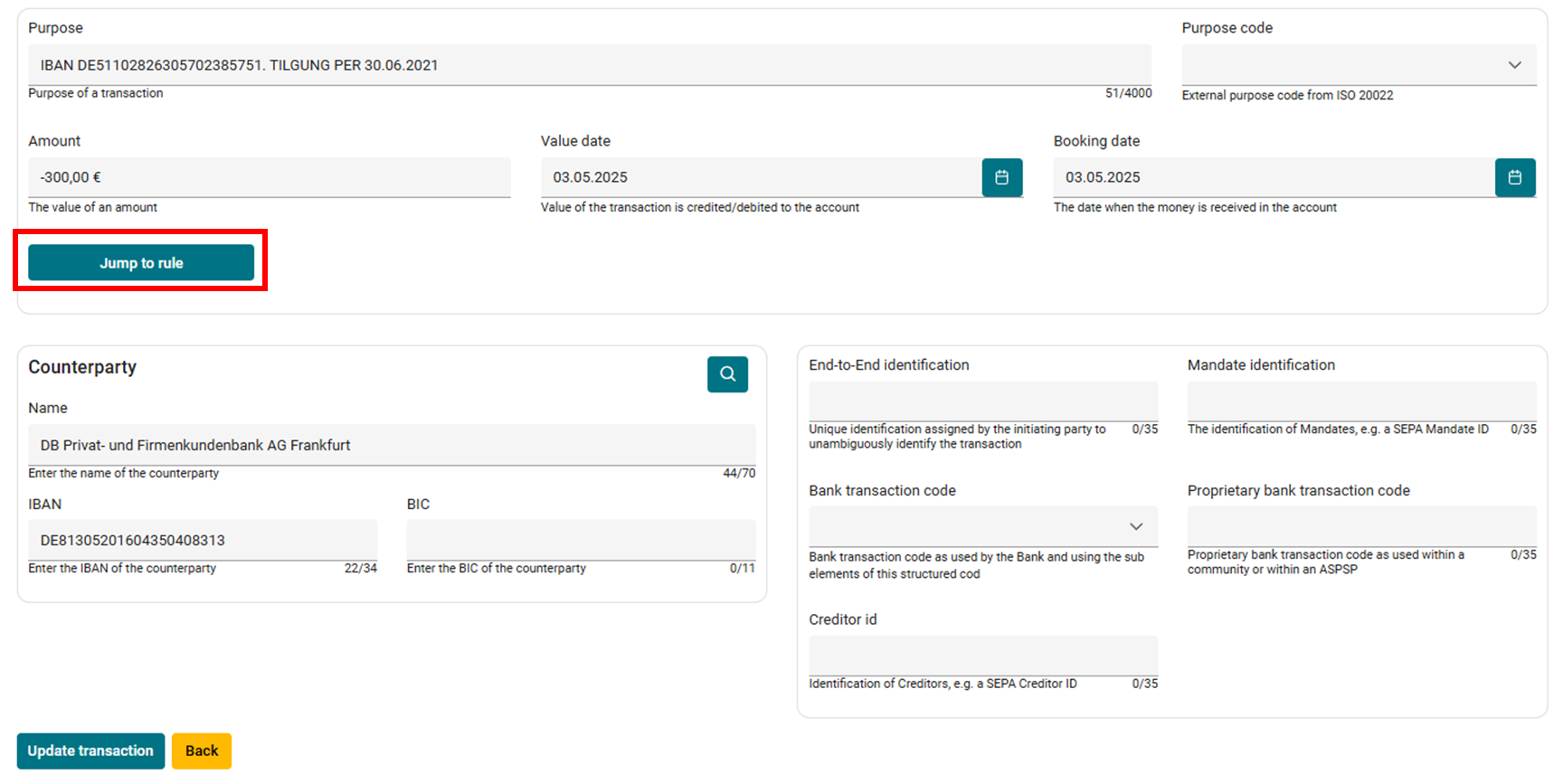
Field explanation
|
Field |
Description |
Mandatory |
|---|---|---|
|
Purpose |
The Purpose of the particular transaction (e.g. “Salary) |
|
|
Amount |
The amount of the transaction |
|
|
Value Date |
The day from which the transfer becomes interest-bearing. |
|
|
Booking Date |
The day on which the transfer is visibly booked in the account. |
|
|
Counterparty name |
Name of the person or organization involved in the transaction. |
|
|
Counterparty IBAN |
International bank account number of the sender or recipient. |
|
|
Purpose Code |
A standardized code (ISO 20022) that indicates the purpose of the payment, such as salary, rent, or tax (Example: “SALA” for salary) |
❌ |
|
Amount |
The amount of the transaction |
❌ |
|
Counterparty BIC |
International bank identifier (SWIFT code) of the sender’s or recipient’s bank |
❌ |
|
End-to-End Identification |
Unique reference number used to track a payment throughout the entire transaction chain. |
❌ |
|
Mandate Identification |
Identifier of a SEPA direct debit mandate, proving authorization to collect payments. |
❌ |
|
Bank transaction code |
Standardized code indicating the type of transaction (e.g., transfer, direct debit). |
❌ |
|
Proprietary bank transaction code |
Bank-specific transaction code used internally, not standardized. |
❌ |
|
Creditor ID |
Unique identifier assigned to a creditor for SEPA direct debits, issued by a national authority. |
❌ |