

Typography
Typography controls the fonts and text appearance throughout the form — typeface, size, weight, and line height. You can match your brand's typographic style precisely.
Font Families
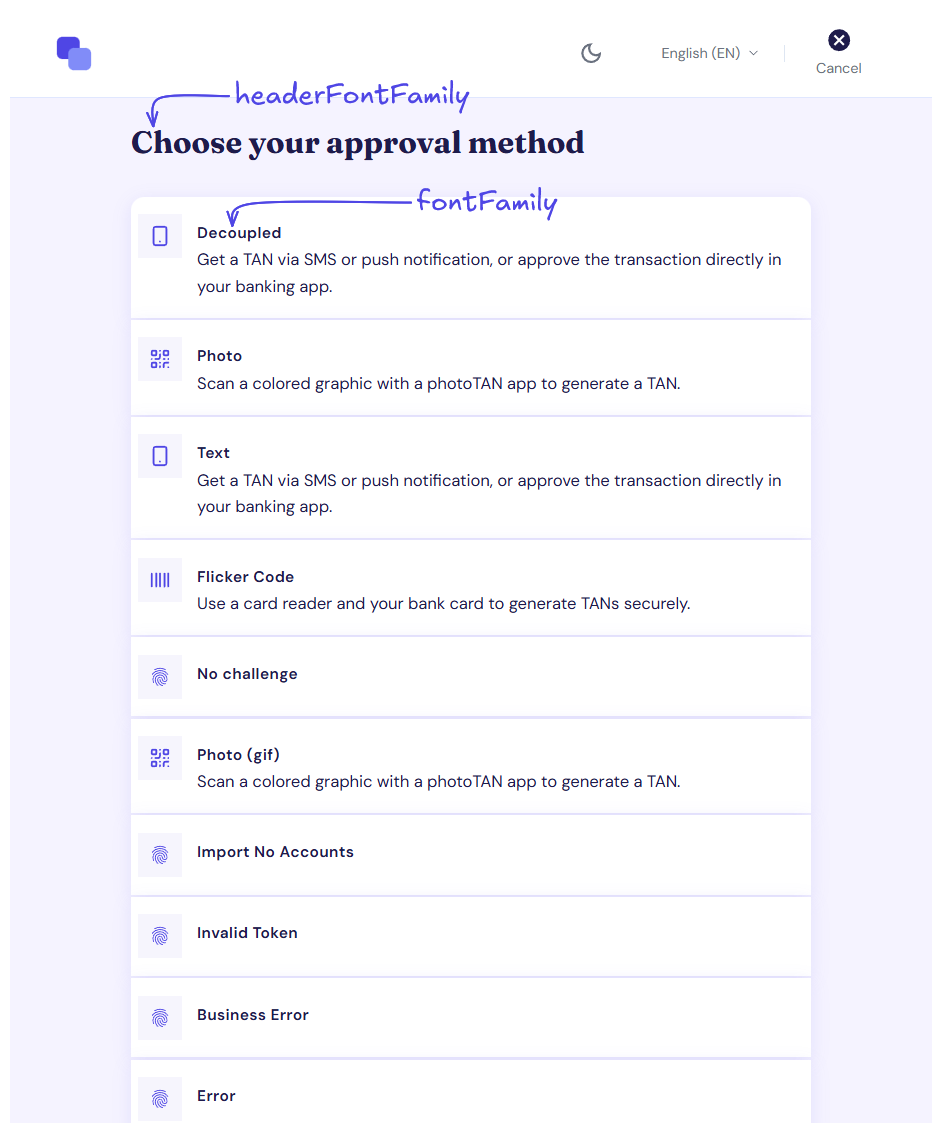
You can set one font for body text and a separate one for headings. Using different fonts for headings and body is a common typographic technique to create visual contrast and hierarchy.
Text Variants
Beyond the font choice, you can fine-tune individual text levels — three heading sizes and two body sizes. For each, you can adjust the size, weight, and line height independently.
The two body variants serve different purposes:
-
Body — the default text style used for most content in the form
-
Secondary body — a subtler style for supporting information that should be present but not compete for attention
Font Loading
How you load a custom font depends on how you are hosting the web form.
Self-hosted
The form renders inside your page, which means it uses whatever fonts are available in that context. Load the font on your page before the form initializes — typically via a <link> tag pointing to Google Fonts, a self-hosted font, or your CDN. Once the font is available on the page, reference it by name in the Profile and the form will pick it up.
If the specified font fails to load or is not available, the form falls back to the browser's default sans-serif font.
Hosted by finAPI
If the web form is served from finAPI's infrastructure, custom fonts need to be set up on our side. Please get in touch with our support team and we will help you configure it.
Technical Setup
Typography is configured under theme.typography in the profile. All fields are optional — for any field you omit, the finAPI default applies.
Fields
|
Field |
Description |
|---|---|
|
|
The font of all texts but the headers. Up to 512 characters. |
|
|
The font of the headers — falls back to |
|
|
Largest heading — accepts |
|
|
Second heading level — accepts |
|
|
Third heading level — accepts |
|
|
Default body text — accepts |
|
|
Secondary body text — accepts |
Both font family fields also accept a comma-separated list. The fonts are tried in the order given, and if one cannot be rendered on the end user's OS, the next is used.
Variant Fields
|
Field |
Description |
|---|---|
|
|
Font size in pixels. Whole numbers only. |
|
|
A CSS |
|
|
Height of one line of text, as a multiplier of the font size. Up to 2 fraction digits, and always returned with exactly that many — |
Example
{
  "theme": {
    "typography": {
      "fontFamily": {
        "body": "Inter, sans-serif",
        "header": "Playfair Display, serif"
      },
      "h1": {
        "fontSize": 32,
        "fontWeight": 700,
        "lineHeight": 1.2
      },
      "body1": {
        "fontSize": 16,
        "fontWeight": 400,
        "lineHeight": 1.5
      },
      "body2": {
        "fontSize": 14,
        "fontWeight": 400,
        "lineHeight": 1.4
      }
    }
  }
}